Trama
AI-powered audio stem separation with a clean, simple interface.
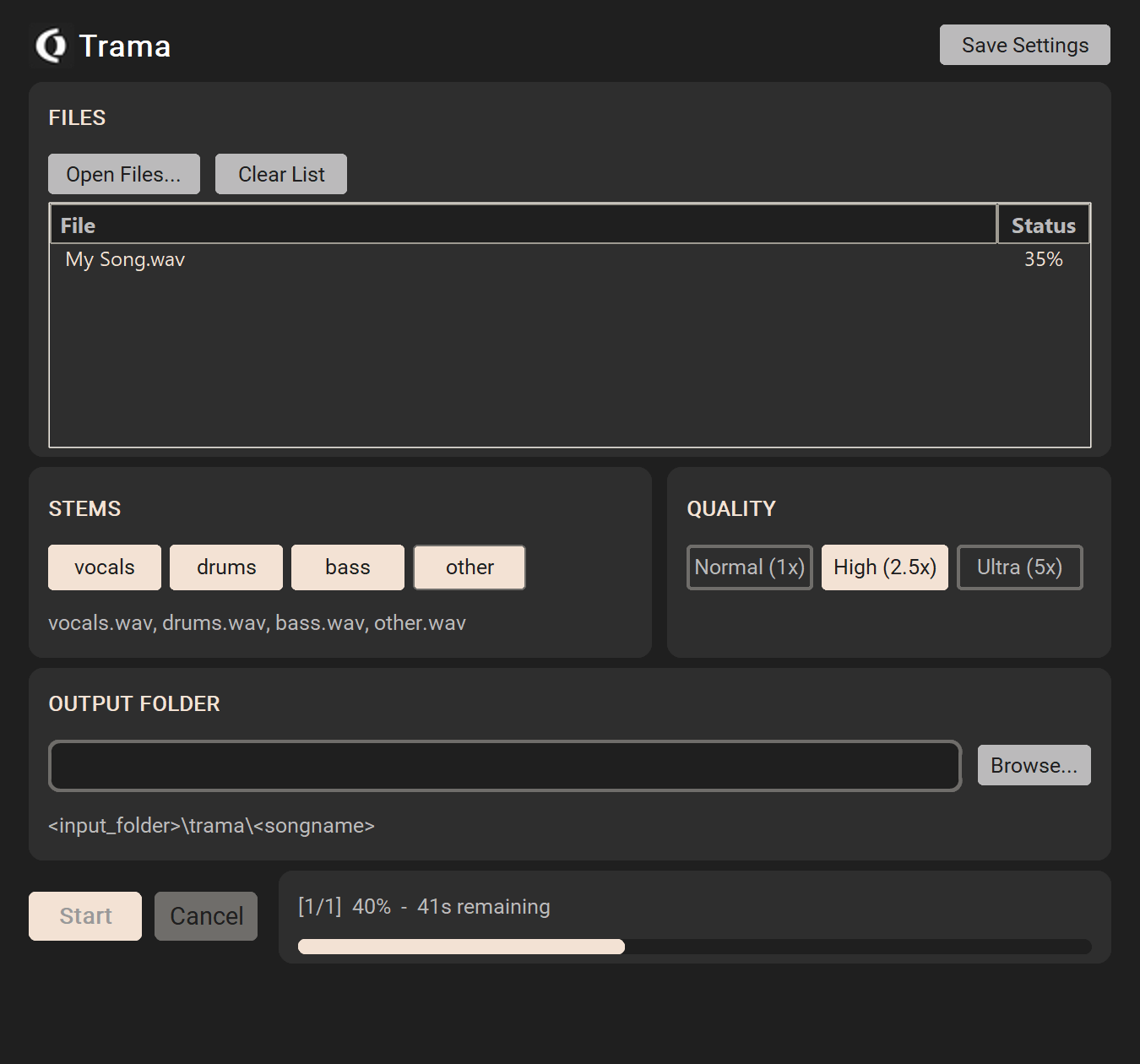
Trama separates audio tracks into individual stems using Meta's Hybrid Transformer Demucs model (htdemucs_ft). Drop in a mixed track and get back isolated stems.
Trama (Italian) — the weft of a fabric; the threads woven through a mix. Trama pulls those threads apart.
Features
4 Stems
Vocals, drums, bass, and other — select any combination. Unselected stems are automatically merged into a single "other" file.
Quality Presets
Normal (1×), High (2.5×), or Ultra (5×) — higher quality uses more separation passes for cleaner results at the cost of processing time.
Batch Processing
Queue multiple files at once. Drag & drop or use the file browser. Progress and ETA shown per file and overall.
Supported Formats
WAV, AIFF, MP3, and FLAC input. Output is always 32-bit float WAV for maximum quality.
Saves Your Settings
Stem selection, quality preset, and output folder are remembered between sessions. Click Save Settings to persist your preferences.
WAV Metadata Preservation
BWF, cue points, labels, playlists, instrument info, and ID3 tags are all copied from the input to every output stem — Reaper markers stay intact.
Download
Windows
v1.0.0Windows 10+ (x64), standalone .exe with all AI models and GPU libraries bundled. No installation or downloads required — extract and run.
Download .zip ~2.8 GBmacOS
v1.0.0macOS (Apple Silicon / Intel), .app bundle with AI models bundled. Extract and run.
Download .zip ~440 MBLinux
v1.0.0Linux (x86_64), single-file binary with all AI models and GPU libraries bundled. Extract, then make executable (chmod +x "OD Trama") and run.
Download .tar.gz ~3 GBSupport Trama
Trama is free. If it's useful to you, a small donation helps continued development.
Usage
- Extract the archive and launch
OD Trama.exe(Windows),OD Trama.app(macOS), or./OD Trama(Linux, afterchmod +x) — no installation needed. - Add audio files via Open Files or drag & drop.
- Select the stems you want (vocals, drums, bass, other).
- Choose a quality preset — High (2.5×) is a good default.
- Optionally set an output folder (default:
trama/<songname>/next to the app). - Click Start and wait for processing to finish.
Performance
Fully offline, no downloads
htdemucs_ft is a fine-tuned ensemble of 4 separation models
(~320 MB total). These are bundled directly inside the executable and loaded into memory at launch — no installation,
no model files written to disk, no internet connection required. Ready to use immediately after extraction, even offline.
GPU vs. CPU
On Windows and Linux, Trama uses your NVIDIA GPU via CUDA automatically if one is available, otherwise it falls back to CPU. CUDA processing is typically 10–30× faster than CPU. AMD GPUs are not currently accelerated.
On macOS, processing runs on the CPU (Apple Silicon's MPS backend is not currently used). Apple Silicon CPUs are fast enough that this is rarely a bottleneck for typical track lengths.
Processing time (rough estimates)
| Quality | Shifts | GPU (3 min song) | CPU (3 min song) |
|---|---|---|---|
| Normal (1×) | 2 | ~30 s | ~5 min |
| High (2.5×) | 5 | ~1–2 min | ~10–15 min |
| Ultra (5×) | 10 | ~2–4 min | ~20–30 min |
"Shifts" = number of separation passes with small temporal offsets; the results are averaged. More shifts = cleaner separation, slower processing. Each pass runs all 4 fine-tuned models (bag of 4), so e.g. "High (2.5×)" at 5 shifts actually performs 5 × 4 = 20 model passes per track.
Technical Notes
- Uses the
htdemucs_ftmodel (fine-tuned Hybrid Transformer). - Output: 32-bit float WAV, preserving full dynamic range.
- When selecting a subset of stems, unselected stems are merged via FFmpeg into a single
other.wav(orrest.wavif "other" is among your selected stems). - FFmpeg is bundled — no external dependencies required.
Built On
Trama bundles Demucs (MIT),
PyTorch (BSD),
FFmpeg (GPL v2+),
and other open source components. Full license texts are included as LICENSES.txt
in the download. Complete FFmpeg source code is available at
ffmpeg.org/download.html.