
AutoADM
Automated peak-safe Apple Digital Masters from your WAV files.
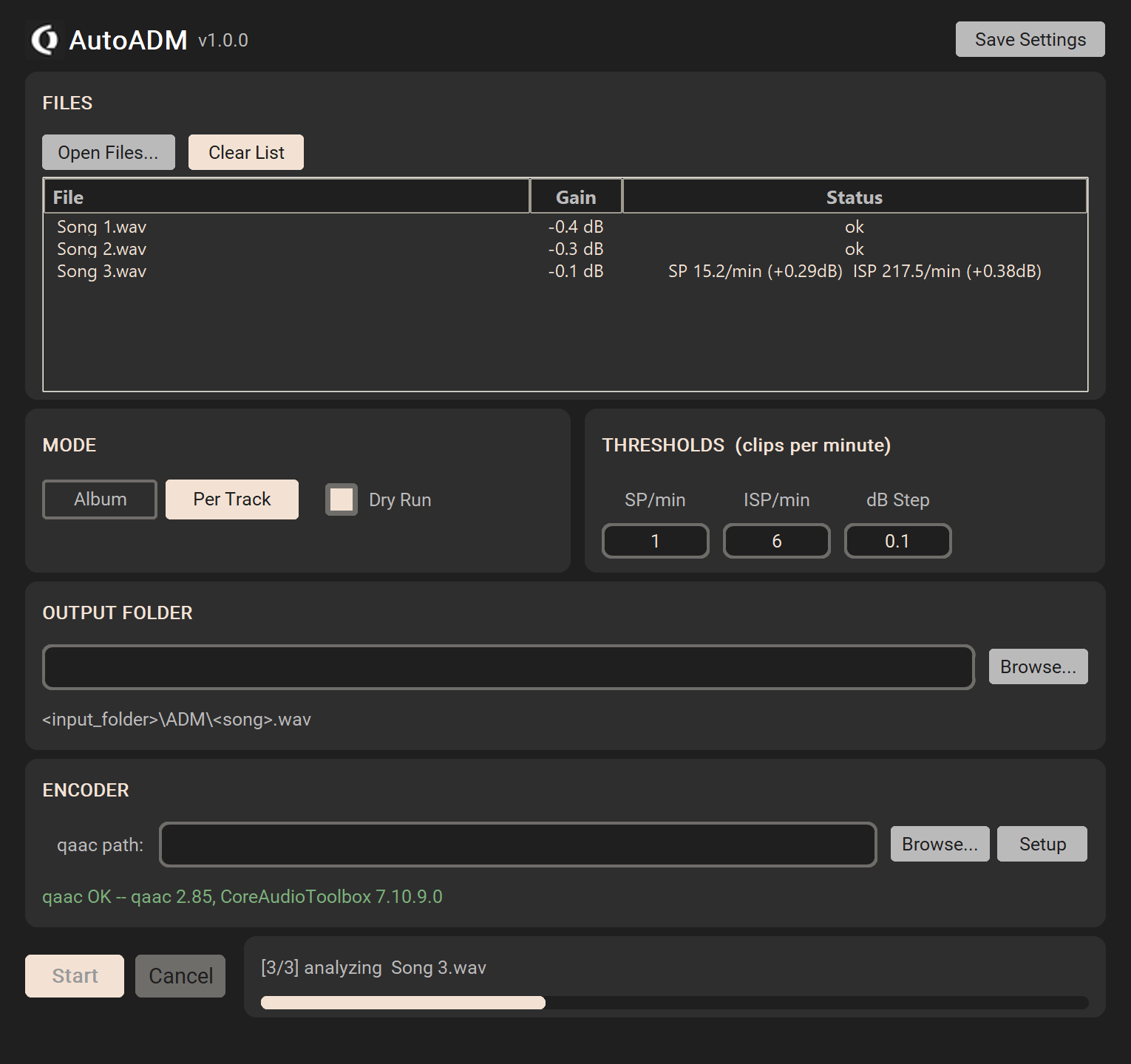
AutoADM prepares your WAV masters for Apple Music's AAC encoder. It iteratively attenuates each file until the resulting AAC encode contains no sample-peak (SP) or inter-sample-peak (ISP) clips — the same process Apple recommends for the Apple Digital Masters program, fully automated.
Drop in your masters, hit Start, get back ADM-ready WAVs in an ADM/ subfolder.
Download for macOS
v1.0.2Apple Silicon (M1 / M2 / M3 / M4), macOS 12+ app bundle — no installation, no setup.
Download .dmg ~92 MBFeatures
Album / Per-Track Modes
Album mode finds the single worst-case gain across all files and applies it uniformly (preserving inter-track loudness relationships). Per-Track mode attenuates each file independently.
Dry Run
Compute the exact gain needed without writing any files — useful for previewing how much headroom your master actually needs before committing.
Clips-per-Minute Thresholds
Set how many sample peaks (SP/min) or inter-sample peaks (ISP/min) you're willing to tolerate — more intuitive than abstract max-peak-dB numbers.
BS.1770-4 ISP Detection
4× polyphase oversampling on the decoded AAC matches the ITU-R recommendation, the same method Apple uses to flag inter-sample clips.
Apple's Own Encoder
Uses Apple's afconvert directly — the exact AAC encoder Apple Music runs against your masters server-side. No third-party AAC libraries in the production path.
Preserves WAV Format
Output WAVs keep the original bit depth and sample rate of the input — no forced 16-bit or downsampling unless your master needs it.
Changelog
- Added: comprehensive logging to autoadm.log (truncated on each app start). Records app/encoder selection, every gain iteration with SP/ISP metrics, encoder commands, GUI events, and full exception tracebacks. New "Log" toggle in the header turns logging on/off live — default on, persisted in autoadm.ini.
› Previous versions
- v1.0.1 2026-05-20
- AutoADM is now macOS only. The Windows and Linux builds were dropped because their encoders under-attenuate by 30–50% versus Apple's afconvert on macOS — see the macOS-only statement on this page.
- v1.0.0 2026-05-19
- Initial release.
Support AutoADM
AutoADM is free. If it's useful to you, a small donation helps continued development.
Usage
- Extract the archive and launch
OD AutoADM.app— no installation needed. - Add WAV masters via Open Files or drag & drop.
- Pick a Mode — Album (uniform gain across the record) or Per Track.
- Set your thresholds (SP/min, ISP/min) — defaults are sensible.
- Click Start. Output WAVs land in
<input_folder>/ADM/with the original bit depth and sample rate preserved.
Technical Notes
- Algorithm: Encode WAV → AAC, scan the AAC for SP/ISP clips, attenuate WAV by a small step (default 0.1 dB), repeat until the clip count falls below your threshold.
- ISP detection: 4× polyphase upsampling via
scipy.signal.resample_polyper ITU-R BS.1770-4, then peak search in the upsampled signal. - Encoder: Apple's
afconvertcommand, which ships with macOS and is the same Mastered-for-iTunes / Apple Digital Masters encoder Apple Music uses. - Settings persistence:
autoadm.ininext to the executable. Saved on demand via the Save Settings button.
Built On
AutoADM uses Apple's afconvert (ships with macOS) and bundles
NumPy and SciPy (BSD),
plus other open source Python components. Full license texts are included as LICENSES.txt in the download.
AutoADM is a Python reimplementation of autoMFiT.pl (Perl, 2013) by Jan Ohlhorst.